How to Write Pinterest Pin Descriptions with AI Easily
More than 600 million people search, plan, and shop on Pinterest every single month. That’s a massive audience ready to discover your ideas.
Standing out in that crowd can feel overwhelming. You need eye-catching images and text that grabs attention fast.
Creating fresh, engaging content for every post takes a lot of time. This is where smart tools change the game.
Modern technology helps you generate compelling descriptions in seconds. It optimizes your content for better search visibility on the platform.
This approach is essential for modern digital marketing success. It lets you publish professional pinterest pins consistently, without the burnout.
Key Takeaways
- Pinterest’s vast monthly user base offers a huge opportunity for visibility.
- Crafting engaging pin text manually is a significant time commitment for creators.
- Advanced tools can automate and optimize the description creation process.
- Optimized content performs better in the platform’s internal search results.
- Leveraging this technology helps you stay competitive and consistent.
- It transforms a tedious task into a strategic part of your content workflow.
- The goal is to drive more meaningful engagement from your target audience.
Introduction to AI and Pinterest Marketing
Pinterest stands apart from other social platforms by functioning as a dynamic, AI-powered visual discovery engine. It’s not just about sharing moments. It’s a place where people actively search for ideas and plans.
Understanding the role of AI in visual search
The platform’s sophisticated artificial intelligence drives its core experience. This technology powers visual search, allowing the system to understand your images with remarkable accuracy.
It then personalizes what each user sees on their feed. Your posts are matched with individuals most likely to find them inspiring.
Why Pinterest is a game changer for content marketing
This creates a unique environment for your brand. A single post can drive traffic for months or even years, unlike fleeting posts on other networks.
You can use Pinterest to reach people actively planning their next project or purchase. Compelling visuals and helpful text are key here.
Developing a consistent Pinterest strategy is therefore vital. Focus on high-quality visual content that serves users in this planning phase. This approach makes your marketing efforts more effective and sustainable.
Understanding Pinterest as a Visual Search Engine
Think of Pinterest not as a social media feed, but as a giant, searchable catalog of ideas. Your visuals are products in this marketplace. The text you add acts as the product label that helps shoppers find what they need.

Differences between Pinterest and traditional search engines
The platform operates very differently from services like Google. A traditional image search engine often pulls context from the surrounding webpage or blog post. Pinterest treats each upload as its own independent piece of content.
This means the description you write travels everywhere with the image. It provides the only context the algorithm has to understand and categorize your asset.
| Feature | Pinterest Visual Search | Google Image Search |
|---|---|---|
| Primary Context Source | Pin description & image tags | Surrounding webpage text |
| Content Lifecycle | Long-lasting, evergreen | Often tied to page freshness |
| Keyword Strategy Focus | Descriptive, intent-based phrases | Technical, on-page SEO elements |
| User Intent | Discovery & future planning | Immediate information finding |
The importance of descriptive and engaging pins
Clear, keyword-rich descriptions make your assets discoverable. Without them, even the most beautiful images remain invisible to the search system. This wastes your creative effort.
Well-optimized pins can perform double duty. They rank within the platform’s internal results and often appear in Google Image search too. This dual visibility drives consistent traffic back to your site for months.
Treat every upload as a standalone entity. Pack your text with relevant keywords that answer user questions. This simple practice ensures your content reaches the right audience.
Leveraging AI Tools for Effortless Pin Creation
Your website’s existing content holds the key to generating a stream of professional pins instantly. Tools like Pin Generator pull information directly from your product or blog page. This system saves you hours of manual work.
Overview of popular tools like Pin Generator
Simply paste your website URL into the tool. It automatically fetches your titles, images, and text. Within minutes, you have a batch of ready-to-publish Pinterest pins.
| Aspect | Manual Process | AI-Assisted Process |
|---|---|---|
| Time Investment | 30-60 minutes per pin | 2-3 minutes for multiple pins |
| Content Source | Requires writing from scratch | Pulls from existing website data |
| Design Consistency | Hard to maintain across posts | Uses pre-set brand templates |
| Testing Capability | Limited by time constraints | Generates multiple versions easily |
Streamlining your design process with AI
Choose from hundreds of professional templates. This ensures your visual design remains consistent across your entire account.
Creating multiple pin versions is one of the most effective ways to test what resonates. The generator handles this repetitive task.
“Automation allows you to amplify your effort, not replace your creativity.”
You maintain a steady posting schedule without spending your whole day on design. This lets you focus on your big-picture strategy.
Using AI to Write Pinterest Pin Descriptions with AI
Transforming a simple image into a discoverable asset requires strategic text that speaks to both people and algorithms. This is where intelligent software becomes your greatest ally.
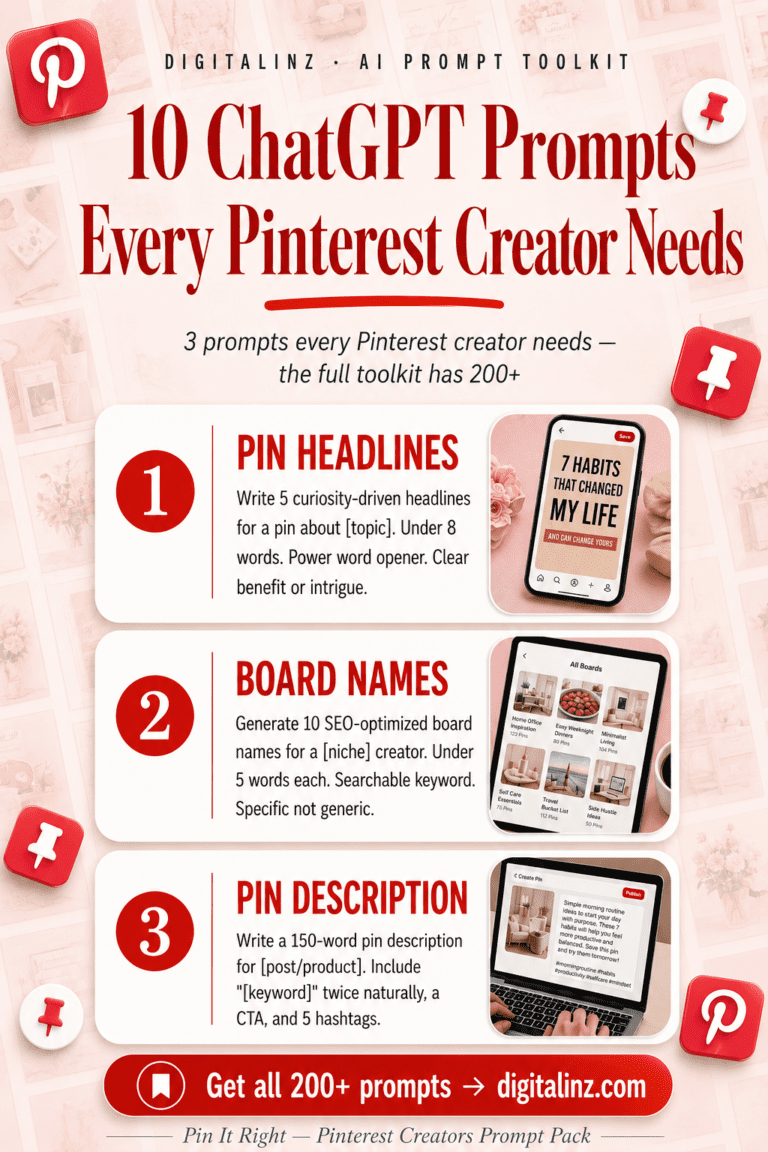
The difference between a pin that gets buried and one that drives traffic is often just the description. Pin It Right gives you prompts specifically for Pinterest — so you can write keyword-rich, click-worthy descriptions that actually get your pins seen.

Crafting engaging, keyword-rich descriptions
Modern platforms let you refresh your titles and captions with a single click. They provide new variations that help the platform’s system understand and distribute your material.
This encourages more users to click through. You can use a generator to produce several unique versions of your copy.
This ensures your assets rank for various search queries. Every step is simplified.
Focus on natural language instead of forced keyword lists. The AI editor also allows you to adjust the tone of voice.
Your posts will always match your unique brand style. Generating fresh text in seconds gives older posts a new lease on life.
You don’t need to start from scratch. This tool transforms your existing content into compelling copy.
Integrating Your Brand and Design Elements
When every pin looks like it belongs to you, your audience begins to trust your content instinctively. A cohesive visual identity makes your account memorable on Pinterest. This recognition is a powerful part of your overall marketing strategy.
Incorporating brand colors, fonts, and logos
Your specific brand colors and fonts are your signature. Using them consistently across your pins creates a professional, recognizable look. After a one-time setup, the system applies these elements to all future images automatically.
This automation ensures every new pin reinforces your identity. Adding your logo also protects your work and boosts awareness as your design is shared.
Maintaining consistency across all your pins
A uniform visual system builds authority and trust with viewers. Your strategy should plan how your brand colors appear in the feed for a cohesive look.
Even when using advanced tools, you must check the final text and layout. Ensure every output aligns with your established visual guidelines. This turns random posts into a strong, reliable brand story.
Advanced Pinterest SEO Techniques and Optimization
The most successful Pinterest marketers treat their pin library as a living, breathing asset that requires constant refinement. Moving beyond basic posting unlocks superior visibility in the platform’s search results.
This involves two powerful practices: bulk updating your existing assets and meticulously analyzing what performs.
Utilizing tools like AltText.ai for bulk updates
Manually editing thousands of old pins is a daunting task. Specialized tools change this dynamic entirely.
Platforms like AltText.ai let you import images directly from your boards. You can then update descriptions in bulk, fixing an entire library in one afternoon.
An e-commerce brand optimized 5,000 product pins this way. They injected rich keywords, helping dormant content suddenly appear in search results.
Tracking performance metrics to boost traffic
Data transforms your strategy from guesswork to precision. The platform provides detailed analytics on which pins drive the most clicks.
Monitor these metrics regularly. Identify top performers and analyze why they resonate. Then, apply those insights to future descriptions and designs.
This cycle of measure and refine ensures your account consistently generates valuable traffic. Your efforts become smarter, not just harder.
Conclusion
Elevating your Pinterest presence from random posts to a strategic traffic source is simpler than you think. Mastering this visual platform requires a firm shift toward search optimization.
Intelligent tools offer the most efficient path to consistent growth. They save you hours of manual work every week.
Use a generator to create optimized titles and compelling copy in minutes. This transforms your traffic into sales for your website, blog, or digital product.
Follow each step outlined here. Track performance and adjust your strategy to ensure your pins reach the right audience.
Begin refreshing your boards today. Turn your visual content into a reliable engine for long-term success.
FAQ
Why should I use AI for my Pinterest marketing?
How is Pinterest different from Google?
What makes a pin description effective?
Can AI help with my pin design too?
How do I keep my brand consistent on this platform?
What are some advanced ways to optimize my pins?
Pinterest is a search engine — and the right description is your SEO. Pin It Right gives you a full prompt pack designed for Pinterest creators who want more traffic, more saves, and more clicks without spending hours writing copy for every pin. Your next viral pin is a prompt away.