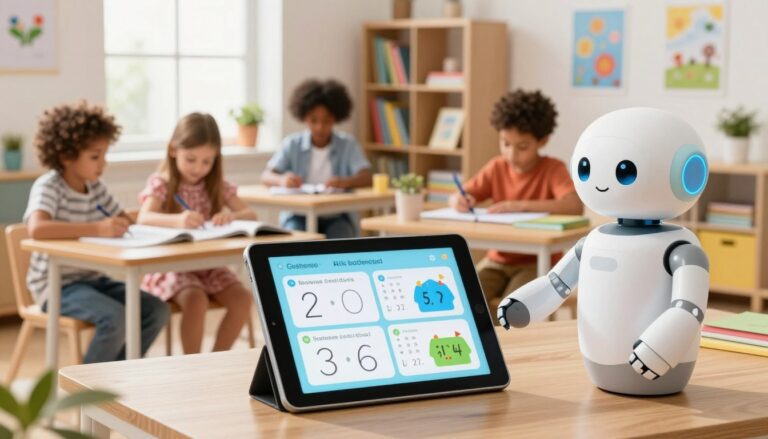
Boost your teaching with AI homeschool lesson plan prompts
Did you know that AI tools can cut an educator’s workload by over 50%? This remarkable statistic highlights the potential of technology in the classroom. By leveraging innovative tools, you can transform your teaching experience.
Imagine generating structured materials in just a few minutes. Many educators find that starting with AI-generated outlines allows them to focus more on their students and less on tedious paperwork. This shift can significantly enhance your teaching experience.
These digital resources not only streamline your workflow but also help maintain the vital human connection essential for every child’s learning. They serve as a foundation for your curriculum, providing a clear path for each lesson.
Whether you are new to teaching or a seasoned educator, these resources can help you manage your time and energy effectively. You’ll learn how to create engaging content that keeps your students excited about learning throughout the academic year.
Key Takeaways
- AI tools can significantly reduce your workload, allowing for more focus on teaching.
- Structured materials can be generated quickly, enhancing your efficiency.
- Maintaining a human connection is essential for effective learning.
- Resources provide a clear framework for each lesson.
- Effective time management leads to a more rewarding teaching experience.
Why Embrace AI in Homeschool Lesson Planning?
Imagine reclaiming precious hours in your week to focus on what truly matters in education. Many educators work up to 54 hours a week, yet less than half of that time is spent on actual teaching. This is where innovative tools come into play.
By automating repetitive tasks, you can significantly reduce your planning time. This allows you to concentrate on the unique needs of your students, making your teaching more effective and engaging.
Moreover, empowering your teaching style means leveraging technology to handle the heavy lifting. This way, you can prioritize the creative aspects of your curriculum.
Educators who embrace these tools find they can manage their workload more efficiently without sacrificing the quality of their educational materials. You will learn how to streamline your planning process, ensuring that your daily schedule remains flexible and responsive to your needs.
AI Homeschool Lesson Plan Prompts: The Ultimate Advantage
Imagine having a treasure trove of resources at your fingertips to enhance your teaching. Using a curated library of educational materials gives you a significant edge when designing your weekly learning objectives.
These resources serve as a reliable framework for your daily activities. They help you break down complex topics into manageable segments for your students.
You can customize each resource to fit your unique teaching environment. This ensures that your curriculum remains both rigorous and engaging.
By leveraging these tools, you can generate high-quality content that aligns with your goals for student growth and development. The beauty of this approach is that it provides a consistent structure for your lessons while still allowing for spontaneous, creative exploration.
Time-Saving Benefits of Using AI for Lesson Planning
Imagine slashing hours off your weekly planning with the right tools. Educators today face numerous demands, and finding ways to save time is crucial. Utilizing technology can streamline your workflow, allowing you to focus more on teaching.
One of the key advantages is the quick generation of structured outlines. With just a few clicks, you can create detailed lesson plans that align with your curriculum standards. This means less time spent on paperwork and more time engaging with your students.
Quick generation of structured lesson outlines
- You can save significant time by using technology to generate structured lesson plans that cover all your required learning objectives for the week.
- These tools help you create consistent plans that are easy to follow, ensuring your daily routine remains organized and efficient.
Streamlining grading and feedback
- Streamlining your grading and feedback processes allows you to provide more meaningful comments to your students without spending hours on paperwork.
- By automating the creation of your materials, you can dedicate more energy to direct instruction and supporting your students during their work.
| Task | Traditional Method | Using Technology |
|---|---|---|
| Creating Lesson Plans | Hours spent | Minutes spent |
| Grading | Time-consuming | Efficient |
| Feedback | General comments | Personalized feedback |
The ability to quickly generate and refine your materials means you spend less time at your desk and more time engaging with your learners.
Personalizing Lessons with AI Tools
Imagine tailoring your teaching materials to meet the diverse needs of every student. Personalization is key in today’s educational landscape. With the right tools, you can adapt your content for different learning styles, ensuring that every student receives the support they need to succeed.
It becomes much easier to personalize your lessons when you can quickly adjust the complexity of your materials. This flexibility allows you to match each student’s progress, creating a more inclusive environment where every learner feels capable of mastering the subject matter.
These tools enable you to modify your existing resources, making them more accessible for students who require different approaches to learning. By customizing your materials, you will find higher engagement and better outcomes for every student in your care.

Supporting Differentiation and Inclusive Education with AI
Imagine creating a classroom where every student feels valued and supported. Adapting content for diverse learners is essential in fostering an inclusive educational environment. With the right tools, you can easily meet the unique needs of each student.
These resources empower you to provide differentiated instruction. This means you can challenge advanced learners while also offering support to those who may need extra help. By focusing on the specific needs of your learners, you ensure that your classroom remains a place where everyone can thrive academically.
Adapting content for diverse learners
- Flexibility is key; these tools help you meet the unique needs of all students.
- You can create multiple versions of your lessons to maintain high standards of instruction.
- Targeted support fosters a more equitable environment for every learner.
- Incorporating varied instructional methods ensures all students are engaged.
- Using technology allows for real-time adjustments to meet evolving learning needs.
Enhancing Assessments and Feedback through AI Efficiency
Imagine streamlining your assessment process to provide better insights for your students. Using innovative tools can significantly improve how you create assessments and deliver feedback. This not only saves time but also enhances the quality of your educational materials.
Planning every lesson from scratch is exhausting. The Homeschool AI Toolkit gives you 180 flexible ChatGPT prompts to build activities, assessments, and schedules that actually fit your child — in a fraction of the time.
With the right technology, you can easily design quizzes, rubrics, and performance checklists that align with your grade level goals. These resources help you maintain consistency and clarity in your assessments, making it easier for students to understand their performance.
Creating quizzes, rubrics, and performance checklists
Automating the creation of these tools allows you to focus on what matters most—teaching. By using technology, you can:
- Enhance your assessment strategy with customized quizzes and rubrics.
- Provide constructive and consistent feedback quickly.
- Ensure that your assessment process is fair and transparent.
- Track student progress effectively throughout the school year.
Providing constructive and consistent feedback
These tools not only save time but also maintain the high quality of your feedback. You will find that using technology for your assessment needs leads to:
- Faster drafting of comments based on specific criteria.
- Clear insights into academic performance for your students.
- Improved engagement and motivation among learners.
| Assessment Type | Traditional Method | Using Technology |
|---|---|---|
| Quizzes | Time-consuming | Quick and efficient |
| Rubrics | Manual creation | Automated generation |
| Feedback | General comments | Personalized insights |
By leveraging these tools, you can enhance your overall teaching experience and ensure your students receive the support they need to thrive.
Integrating AI with Classroom Management Strategies
Imagine a classroom where every rule and routine is effortlessly organized. Integrating technology into your classroom management can transform your school day. By using tools to create clear guidelines, you can enhance the overall learning environment.
Effortlessly generating these structures allows you to focus on the important work of building a positive culture for your students. When your daily procedures are well-defined, your classroom becomes a well-organized space for all learners.
These management tools help you maintain consistency, which is essential for creating a stable environment where students can do their best work. You will find that having a clear set of routines reduces stress and allows you to spend more time on meaningful instruction.
- Integrate technology to generate clear rules and routines that help your school day run smoothly.
- Effortlessly create structures that enable you to focus on fostering a positive culture.
- Draft daily procedures to ensure your classroom remains organized for all learners.
- Maintain consistency to create a stable environment for optimal student performance.
- Reduce stress with clear routines, allowing more time for impactful teaching.
Real-World Applications: Projects, Activities, and Creative Learning
Imagine engaging your students with hands-on projects that ignite their curiosity. Utilizing innovative resources can help you design activities that not only captivate but also educate. These projects allow students to connect theoretical knowledge with practical application.
One way to enhance your teaching is by using technology to generate ideas for exciting experiments and group tasks. For instance, you can create activities that bring your math and science lessons to life, making them more relatable and enjoyable.
Moreover, leveraging cross-curricular projects can foster deeper understanding. When you connect different subjects, you design learning experiences that resonate with your students. This approach encourages them to practice critical thinking and collaboration as they tackle real-world problems.
Incorporating these creative activities allows students to apply their knowledge in practical ways. You will find that such projects help them see the relevance of their learning, making their educational journey not only informative but also impactful.

Top AI Tools and Prompts Every Homeschool Educator Should Know
Unlock the potential of technology with these must-know resources for educators. These tools can significantly enhance your teaching experience, making planning more efficient and effective.
The School House Anywhere (TSHA) is a standout resource powered by the American Emergent Curriculum, designed for Pre-K to 6th grade. It provides a comprehensive framework for educators.
Planbook is another reliable option, used by over a million teachers. This platform offers structured planning capabilities, perfect for any school setting.
Google Classroom integrates seamlessly with Google Workspace for Education. This tool is beneficial for educators at every grade level, helping you brainstorm and organize lesson ideas.
Lastly, iDoceo is a powerful app for Apple devices. It offers a suite of tools to manage classroom and grade level data efficiently.
By exploring these tools, you can tailor your approach to meet the specific needs of your students. Understanding which resources work best for your grade level allows you to optimize your planning and focus more on direct instruction.
Adapting Instructional Models Like 5E Using AI Prompts
Imagine transforming your teaching approach with a structured model that enhances student engagement. The 5E instructional model, which includes Engage, Explore, Explain, Elaborate, and Evaluate, can be effectively adapted for any grade level. By using prompts, you can define clear learning objectives for each phase, ensuring that your instruction is both focused and effective.
These phases are easily supported by technology, allowing you to create high-quality content tailored to your students’ needs. For instance, during the Engage phase, you can spark curiosity with intriguing questions or scenarios. In the Explore phase, students can investigate concepts hands-on, fostering deeper understanding.
By utilizing these prompts, your instruction will remain aligned with specific grade level standards and learning objectives. You will find that transitioning between phases becomes seamless, keeping your students engaged throughout the lesson. This model provides a robust framework for your instruction, and the use of technology helps fill in the details, making your teaching experience even more rewarding.
Innovative Strategies for Integrating AI in Curriculum Design
Imagine a curriculum that blends technology with your personal teaching style. This balance is essential for effective curriculum design at every grade level. While modern tools can generate high-quality materials, your unique approach makes learning truly impactful.
By embracing innovative ways of working, you can enhance your teaching while maintaining that vital human connection. Carefully selecting your resources allows you to create a curriculum that supports students across all grade levels without sacrificing the personal touch.
These strategies not only help you manage your materials more effectively but also free up time for you to connect with your students. You will discover that the right blend of technology and personal engagement leads to a more rewarding teaching experience.
Balancing technology with human-centered teaching
- Balancing technology with human-centered teaching is one of the best ways to ensure your curriculum design remains effective for every grade level.
- You can use modern tools to generate high-quality materials and resources, but your personal touch is what makes the learning truly meaningful.
- These innovative ways of working allow you to maintain your unique teaching style while benefiting from the efficiency of modern technology.
- By carefully selecting your resources, you can create a curriculum that supports students at every grade level without losing the human element.
- You will discover that these strategies help you manage your materials more effectively, giving you more time to connect with your students.
Conclusion
In conclusion, embracing innovative resources allows you to save time and focus on what truly matters: your students. By effectively managing your planning, assessments, and learning objectives, you create a more efficient classroom environment.
Remember, these tools are here to support your teaching, not to replace the vital connections you build with each student. Start small by integrating one or two new strategies into your routine and observe how they enhance your daily life.
As you refine your curriculum design, these resources will be essential for your ongoing success as an educator. Your commitment to delivering high-quality instruction at every grade level makes a significant difference in the lives of your learners.
FAQ
How can I effectively use AI tools in my teaching?
You can start by exploring various AI platforms that offer resources tailored to your curriculum. Look for tools that generate lesson outlines, quizzes, and activities that align with your teaching goals.
What are the benefits of using AI for lesson planning?
Utilizing AI can significantly reduce the time you spend on planning. It can help create structured outlines, suggest engaging activities, and streamline the grading process, allowing you to focus more on teaching.
Can AI tools accommodate different learning styles?
Absolutely! Many AI resources allow you to customize materials based on individual learning preferences, ensuring that every student can engage with the content in a way that suits them best.
How does AI support inclusive education?
AI can adapt content to meet the diverse needs of learners, providing modifications and supports that help all students succeed, regardless of their learning challenges.
What types of assessments can I create using AI?
You can create a variety of assessments, including quizzes, rubrics, and performance checklists. AI tools can also help you provide constructive feedback consistently, enhancing student learning.
How can I integrate AI into my classroom management?
AI can assist in generating classroom rules and routines, helping you establish a structured environment that promotes effective learning and minimizes disruptions.
What are some creative project ideas I can generate with AI?
AI can provide suggestions for hands-on experiments, group tasks, and cross-curricular projects that encourage collaboration and creativity among students.
Are there specific AI tools I should consider for my classroom?
Yes, look for AI platforms that offer lesson planning, assessment creation, and student engagement tools. Popular options include Google Classroom, Quizlet, and Nearpod.
How can I adapt instructional models using AI?
You can use AI to support models like the 5E framework by generating engaging content for each phase: Engage, Explore, Explain, Elaborate, and Evaluate, ensuring a comprehensive learning experience.
What innovative strategies can I use to blend AI with traditional teaching?
Balance technology with human-centered teaching by using AI for administrative tasks while maintaining personal interactions with students. This approach enhances learning while fostering meaningful connections.
Great lesson plans don’t write themselves — but with the right prompts, they’re much faster to build. The Homeschool AI Toolkit gives you 180 prompts to plan engaging, age-appropriate lessons for any subject.