Teach ChatGPT Your Brand Voice: 3-Step System for Social Media Managers
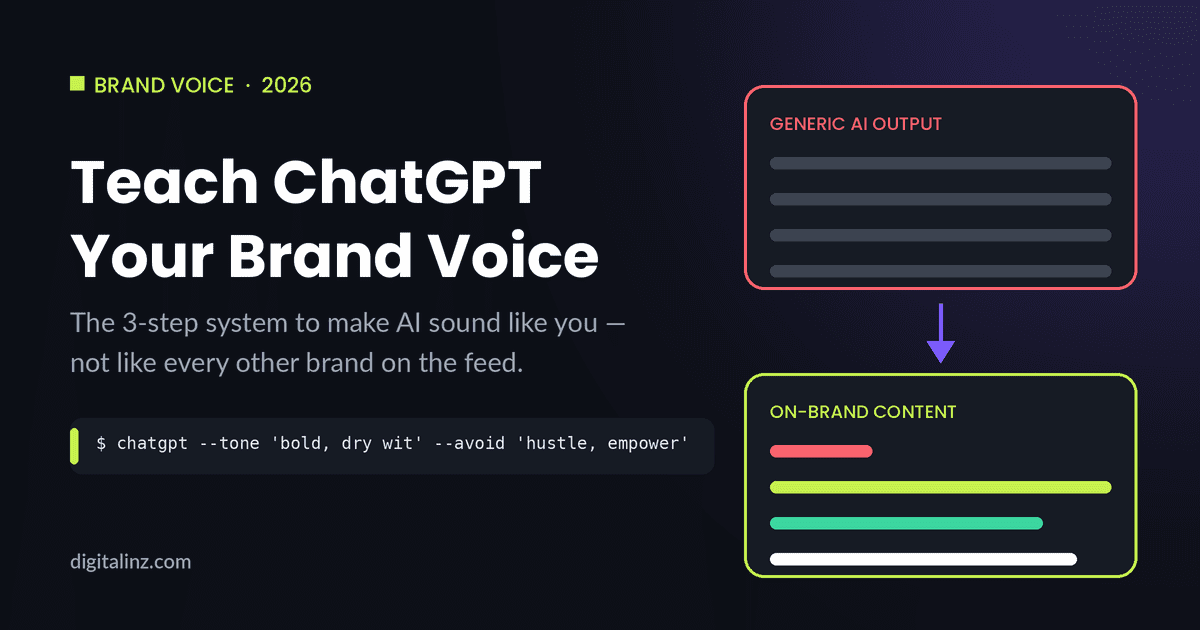
The fastest way to teach ChatGPT your brand voice is to give it examples of your own writing, have it extract the patterns, and then embed that voice document into every content prompt you use going forward. Without this system, ChatGPT defaults to average internet English — technically competent, instantly forgettable, and recognizable as AI to anyone who reads social media regularly. With it, ChatGPT becomes a drafting partner that sounds like the brand rather than a content factory that sounds like everyone else.
Why AI Content Sounds Generic — and What Actually Fixes It
The generic AI content problem isn’t a model limitation — it’s an input problem. ChatGPT is trained to produce coherent, broadly acceptable text. Without direction, it gravitates toward the middle: motivational language, inclusive phrasing, moderate enthusiasm, and sentence structures that are grammatically correct but rhythmically flat. Nielsen Norman Group’s research on brand voice identifies consistency and distinctiveness as the two properties that make brand communication memorable — neither of which is achievable when every caption is generated from scratch with a generic tone instruction like “sound professional.”
The fix is to give ChatGPT a voice document it can reference instead of inventing a voice from scratch every time. A voice document takes 15 minutes to create, persists across your entire ChatGPT session, and can be pasted into any new session to restore it. The three steps below build that document from your existing content — no guesswork required.
3-Step System to Teach ChatGPT Your Brand Voice
Step 1: Extract Your Voice From Examples You’ve Already Written
Start with 3–5 pieces of content you’ve written that you feel genuinely represent the brand — a caption that got engagement, a bio you’re proud of, an email that prompted replies. Don’t use aspirational examples or content you had heavily edited by someone else. ChatGPT will mirror what you give it, so the examples need to be authentic to how the brand actually sounds.
Paste those examples into ChatGPT with this extraction prompt:
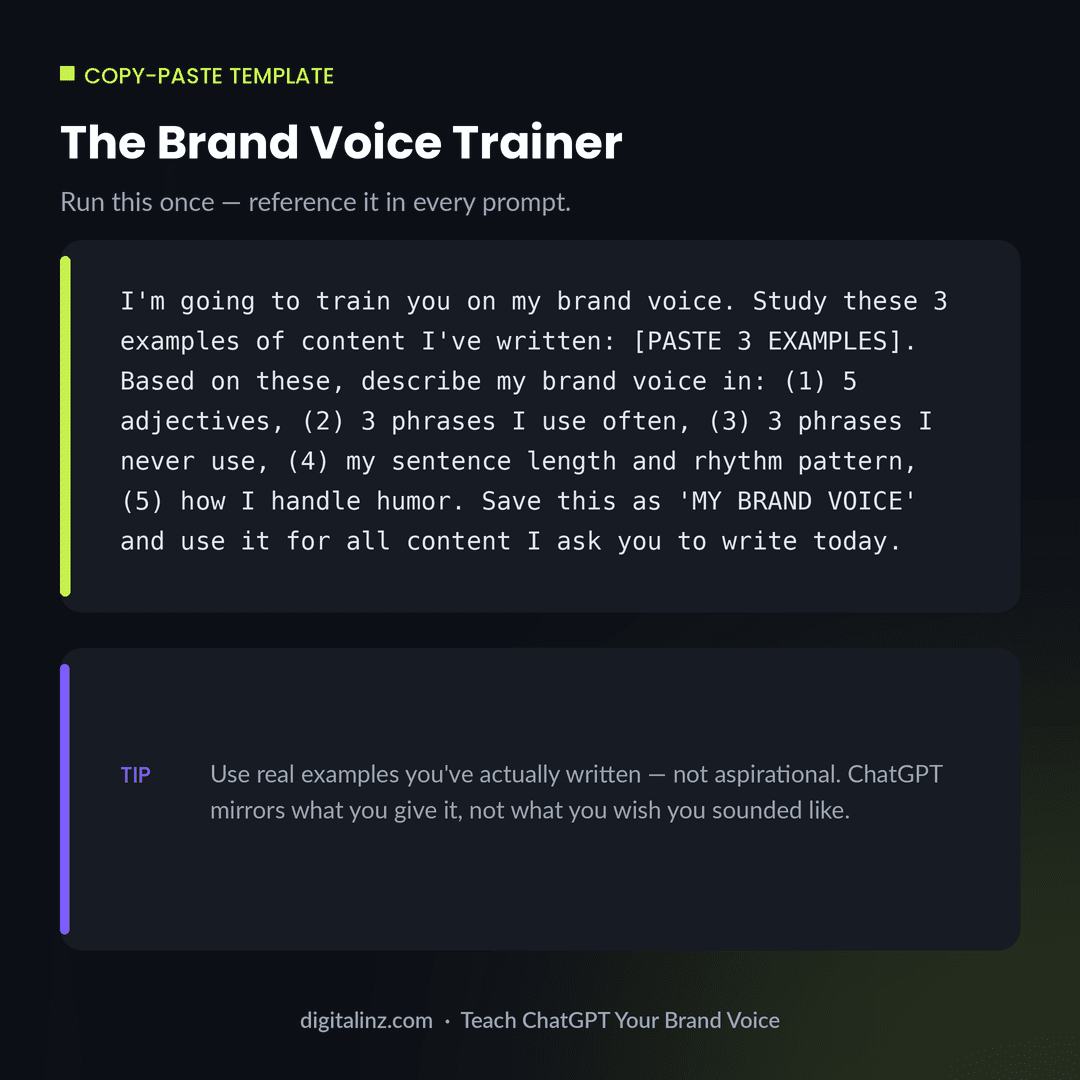
“Study these [NUMBER] pieces of content I’ve written for my brand: [PASTE EXAMPLES]. Based on these, describe my brand voice in: (1) 5 adjectives that describe the tone, (2) 3 phrases or expressions I tend to use, (3) 3 words or phrases I clearly avoid, (4) my typical sentence length and rhythm — short and punchy, or longer and flowing? (5) how I handle humor — dry, warm, self-deprecating, or none? Save this as MY BRAND VOICE.”
Review what ChatGPT produces. Add any corrections: “That’s right, but also add that I never start a sentence with ‘In today’s world'” or “I use em dashes a lot, add that.” What you end up with is a 5-point voice description that’s derived from your actual writing, not a generic brand guideline.
Example output for a no-fluff B2B brand: “MY BRAND VOICE: (1) Direct, dry, confident, specific, no-nonsense. (2) Phrases I use: ‘Here’s the thing…’, ‘The data doesn’t lie.’, ‘[Specific outcome], not [vague goal].’ (3) Phrases I avoid: ’empower’, ‘level up’, ‘game-changer’, exclamation points outside of genuine surprise. (4) Short punchy sentences. Rarely longer than 15 words. Often one-sentence paragraphs. (5) Humor: dry and observational, never try-hard.”
Step 2: Turn the Voice Description Into a Reusable Prompt Prefix
The voice description from Step 1 is useful in a session — but the real leverage comes from turning it into a reusable prefix you paste at the start of any content prompt. A voice prefix is a short instruction block that runs before every task. Instead of writing “write an Instagram caption,” you write “[VOICE PREFIX] + write an Instagram caption.”
Here’s how to build the prefix from the voice description:
“Using MY BRAND VOICE above, write a 2-sentence prompt prefix I can paste before any content request to ensure the output stays on-brand. The prefix should: reference the key tone adjectives, include 1-2 phrases I use and 1-2 I avoid, and end with the instruction ‘Apply this voice to everything I ask you to write in this session.'”
Save this prefix in a notes app, content doc, or prompt library. Every time you open a new ChatGPT session, paste the prefix first — then every subsequent content request in that session will use your brand voice as the baseline.
Example prefix for the no-fluff B2B brand above: “You write for a B2B brand that is direct, dry, and specific. Short sentences. No fluff. Use phrases like ‘Here’s the thing’ or ‘The data doesn’t lie’ when appropriate. Never use ’empower,’ ‘game-changer,’ or exclamation points for routine announcements. Apply this voice to everything I ask you to write in this session.”
Step 3: Use the Prefix With Structured Prompts for Specific Content Types
Voice alone doesn’t produce great content — you still need structure-specific prompts for each content type. The difference between a voice-trained prompt and a generic one is that the voice prefix handles the how (tone, rhythm, word choice) while the structural prompt handles the what (format, length, call to action). Stack them together and you get on-brand output that also fits the platform.
Here are the three most common SMM content types with their structural prompts — prepend your voice prefix to each:
Instagram caption: “[VOICE PREFIX] Write an Instagram caption for [TOPIC OR IMAGE DESCRIPTION]. Format: hook in the first line (not a question), 3-4 sentences of substance, and a conversation-starter in the last line. No hashtags in the caption body. Under 150 words.”
LinkedIn post: “[VOICE PREFIX] Write a LinkedIn post about [TOPIC]. Open with a counterintuitive statement or a specific observation. 4-6 short paragraphs, each 1-2 sentences. End with a direct question. Under 200 words. No bullet points.”
Email subject line options: “[VOICE PREFIX] Write 5 email subject line options for [EMAIL TOPIC OR CONTENT]. Each should be under 45 characters. Mix styles: one curiosity-gap, one direct benefit, one contrarian take. No clickbait, no question marks.”
This three-layer system — extracted voice → reusable prefix → structure-specific prompt — is what separates social media managers who get consistent on-brand output from AI from those who spend 30 minutes editing every caption to remove the “🚀” and the “Let’s dive in.”
Copy-Paste: The Brand Voice Trainer
Run this once at the start of a session, review the output, correct what’s off, then reference “MY BRAND VOICE” in every prompt that follows.
Before and After: Generic AI vs. On-Brand Caption
Same topic — social media consistency — completely different brand personality.
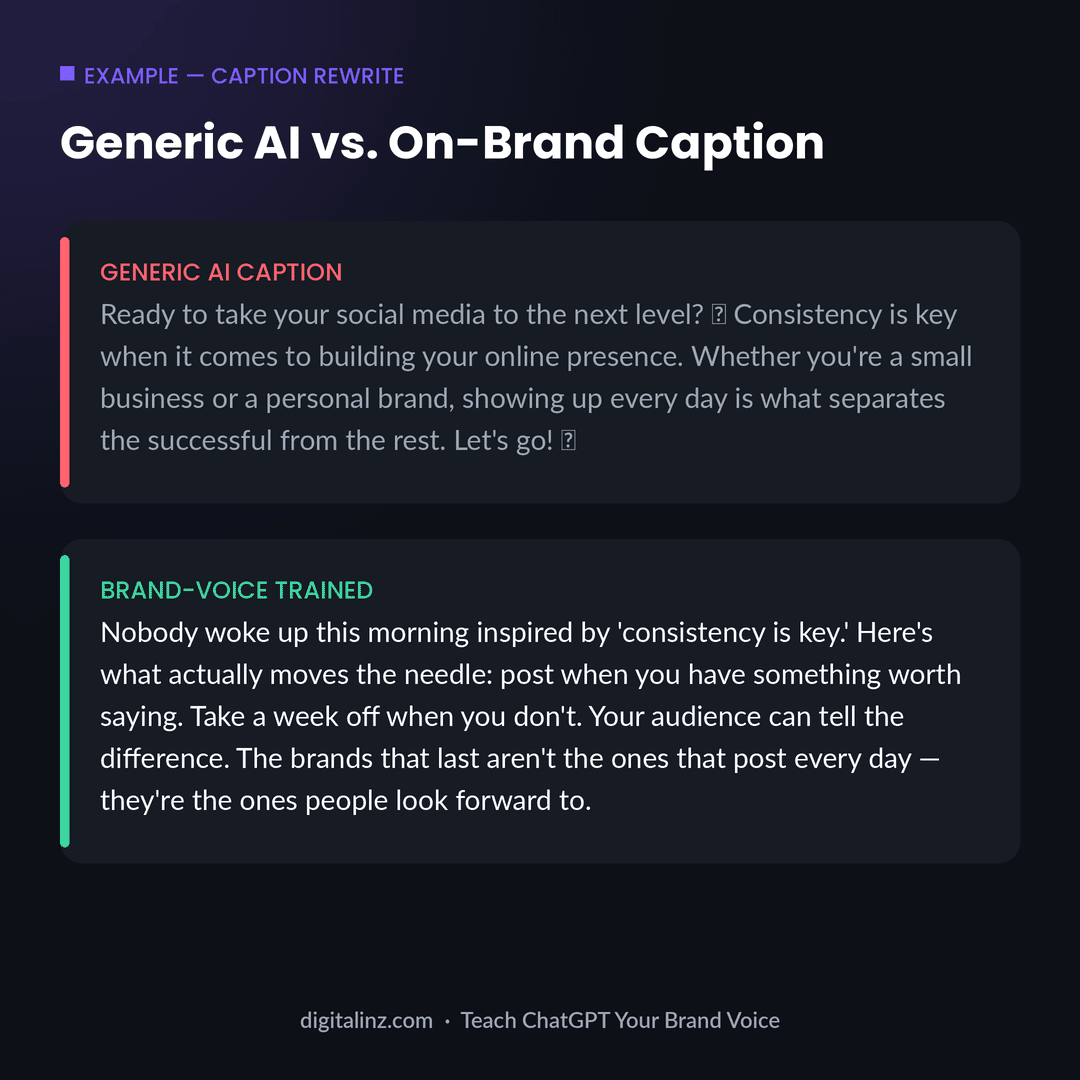
The generic version isn’t wrong — it’s just average, and average social content is invisible. The on-brand version has a specific point of view, a recognizable rhythm, and a take that not every brand would be willing to publish. Once you’ve built your voice document and prefix, every caption and post starts from this level instead of starting from zero. For applying this voice system to a full month of content, pair it with our guide on building a 30-day content calendar with ChatGPT. For Instagram specifically, see the best ChatGPT prompts for Instagram captions — those prompts are built to accept a voice prefix directly.
FAQ: How to Teach ChatGPT Your Brand Voice
Does ChatGPT remember my brand voice between sessions?
Not by default. ChatGPT doesn’t persist memory between conversations in standard use (without custom GPT Memory settings enabled). This is why the reusable prefix in Step 2 is essential — you paste it at the start of each new session, and within that session ChatGPT applies your brand voice consistently. Some users store their prefix in a notes app or text file so it’s always two clicks away.
How many content examples do I need to train ChatGPT on my brand voice?
Three to five examples is the practical minimum — enough for ChatGPT to identify patterns in your sentence structure, word choice, and tone. More examples produce more nuanced voice detection. If your brand produces different types of content (formal blog vs. casual social), use examples from the specific content type you want to reproduce, not a mix.
What if ChatGPT’s voice extraction is wrong or off-brand?
Correct it directly: “That’s not quite right — I’m actually more sarcastic than dry, and I never use passive voice.” Then ask ChatGPT to update MY BRAND VOICE and regenerate the prefix. The extraction is a starting point, not a final answer. One or two corrections typically brings it in line, and the prefix becomes more accurate over time as you refine it.
Can this system work for managing multiple brand accounts?
Yes — create a separate voice document and prefix for each brand you manage. Store them in a prompt library (a shared doc or folder) labeled by client. At the start of each client’s work session, paste that client’s prefix before any content request. Social media managers handling multiple accounts find this eliminates the mental context-switching between brand voices and reduces editing time substantially.
The Shortcut
Building a brand voice system is a one-time investment that pays off on every piece of content you produce after it. Our Social Media Manager AI Prompt Vault includes 200+ ready-to-use prompts for captions, hooks, Reels scripts, content calendars, and brand voice setup — all structured so you can drop in your voice prefix and get on-brand output immediately.
Also available on Gumroad.