Boost your teaching with AI prompts for teachers lesson planning
Did you know that using structured instructions can lead to 60% more accurate and relevant results from digital tools? Recent research by White et al. highlights this powerful impact for educators.
This finding is a cornerstone of modern guidance, like the UK Government’s 2024 Generative AI Framework. It states that specificity and context are the primary principles for effective interactions with technology.
You can transform your daily workflow. A well-crafted approach helps you create more engaging materials and manage administrative tasks with greater ease.
This support allows you to focus on what matters most: your students. By integrating these strategies, you better meet the demands of today’s classrooms.
Our comprehensive guide provides a curated list of actionable methods. It is designed to help you navigate the evolving landscape of technology in education effectively.
Key Takeaways
- Structured instructions yield significantly more accurate digital tool outputs.
- Official frameworks emphasize specificity and context as key principles.
- Adopting these methods can streamline your daily preparation and tasks.
- Effective use of technology directly benefits student engagement and support.
- This guide offers practical strategies for the modern classroom environment.
Introduction to AI in Lesson Planning
Bill Barnum offers a crucial insight: integrating new tools into student work isn’t a binary choice but a spectrum of thoughtful decisions. This means your professional judgment is more important than ever when navigating these options.
You can save significant time by using a well-crafted prompt. This approach generates a structured lesson plan that meets your specific curriculum needs. It frees your energy for more creative tasks.
Cindy Blackburn recently demonstrated this in a webinar. She showed how digital assistants can help with unit planning on platforms like Toddle. A precise prompt helps you move beyond generic outputs to create high-quality materials.
Understanding how to leverage these tools allows you to focus on the human aspects of teaching. Technology handles the structure, so you can concentrate on connection and guidance in the classroom.
The Role of AI in Modern Education
Your expertise as an educator is the irreplaceable core of student success, a truth that modern tools are built to amplify. The primary role of technology in schools is to support your professional judgment, not to replace the vital human connection in your classroom.
As scholar Andy Hargreaves emphasized in 2003, the nuanced professional judgments and relational aspects of teaching are what truly drive successful learning outcomes for all students.
You can utilize various digital assistants to handle routine administrative tasks. This frees your schedule to dedicate more energy to individual student support and mentorship.
Integrating these resources helps you address the diverse needs of your class while maintaining high academic standards. Your ability to adapt defines success in fostering a supportive and engaging environment for everyone.
AI prompts for teachers lesson planning
A 2023 study by Zamfirescu-Pereira and colleagues revealed a powerful secret for getting better results from digital assistants. Their research showed that non-technical users who followed a template saw their outputs rated 40% higher in quality.
Effective prompts require you to define your role, the specific task, the context, and the desired format. You can create a detailed lesson plan by providing clear parameters like grade level, subject, and learning objectives.
By mastering the art of the prompt, you ensure your planning process is both efficient and aligned with your curriculum goals for students. This turns a simple request into a strategic tool.
These strategies help you avoid the generic results that happen with vague instructions to language models. A precise prompt guides the technology to deliver exactly what you need.
Benefits of AI in Classroom Preparation
A landmark 2007 study by Hattie and Timperley provides crucial evidence about what works in education. They found that timely, specific feedback has a significant impact on learning outcomes.
You can harness this principle through modern digital tools. They help you generate tailored materials, improving the quality of your daily preparation. This means resources fit your class’s exact needs.
Automating resource creation gives you back valuable time. You redirect this toward deeper interactions with your students. Your focus shifts from planning to guiding.
These tools also help craft consistent assessments. You monitor progress and adjust instruction in real time. This supports a dynamic learning environment for every student.
Every educator benefits from reduced cognitive load. Repetitive tasks are streamlined, freeing mental energy. You bring your best self to the classroom each day.
Saving Time with AI in Lesson Planning
Imagine reclaiming nearly an hour of your day for more meaningful classroom interactions. Digital assistants can handle the initial heavy lifting of your preparation. This lets you refine and personalize the output.
Research suggests you can save approximately 45 minutes per text when differentiating reading materials. That time adds up quickly over a week. You redirect those precious minutes toward direct support for your students.
Streamlining your process ensures you maintain a better work-life balance. You still deliver high-quality instruction that meets all curriculum standards. Efficient strategies are essential for managing your workload effectively.
| Common Preparation Task | Traditional Time | Time with Digital Tool | Time Saved |
|---|---|---|---|
| Differentiate a Reading Text | 60 minutes | 15 minutes | 45 minutes |
| Draft a Lesson Outline | 90 minutes | 30 minutes | 60 minutes |
| Create a Formative Quiz | 45 minutes | 15 minutes | 30 minutes |
| Total Weekly Potential | 195 minutes | 60 minutes | 135 minutes |
By adopting these methods, you gain hours back each week. This efficiency directly benefits your classroom environment. You have more capacity to focus on individual needs and creative project ideas.
Personalizing Your Instruction with AI
Tailoring your approach to each learner is a cornerstone of effective education, and modern tools offer unprecedented ways to achieve this. Scholar Carol Ann Tomlinson emphasized in 2014 that you must tailor the content, process, and product to meet individual needs.
You can use these assistants to generate customized study plans and practice questions. This addresses the unique gaps and strengths your students show. It turns general information into targeted support.
Analyzing performance data helps you provide more consistent feedback. This personalized guidance fosters academic growth for every child in your room. All learners feel supported on their journey.
Remember, you are the most important teacher in the classroom. Technology serves as your assistant, helping you reach each student effectively. Your professional judgment shapes every personalized learning experience.
Differentiation and Inclusivity via AI
Scaffolding, when done correctly, is a temporary support system that builds student independence over time. The Education Endowment Foundation confirmed in 2023 that this approach is most effective when gradually removed as competence develops. This principle is key to meeting diverse learning journeys in your classroom.
You can use digital assistants to create differentiated content. This ensures all students access the curriculum regardless of their specific needs. Providing language and cognitive scaffolds through this technology fosters a more inclusive environment.
Differentiation is not just about changing difficulty. It’s about providing the right support at the right moment for your students. These inclusive practices help you cultivate a classroom culture where every learner feels capable of reaching their full potential.
Leveraging ChatGPT for Lesson Outlines
The ‘Mega-prompt’ formula, introduced in early 2023, revolutionized how educators interact with chatbots for planning. This six-element strategy helps you achieve the desired outcomes from your digital assistant.
You can leverage these chatgpt prompts to create detailed outlines that include specific activities and learning goals. Mastering this turns a simple request into a strategic tool.
Step-by-Step Prompt Breakdown
Follow a clear structure for the best results. Start by defining your role and the specific task. Then, provide detailed context about your classroom and student abilities.
Finally, specify the exact format you need. This step-by-step prompt breakdown ensures your instructions are clear enough to generate high-quality, usable content every time.
Real-World ChatGPT Examples
Real-world examples show the power of context. A vague prompt yields generic ideas. A detailed one produces a tailored lesson plan.
For instance, specifying grade level, subject, and a key learning objective guides the technology perfectly. This approach creates materials that fit your students exactly.
| Prompt Element | Vague Example | Mega-Prompt Example | Outcome Impact |
|---|---|---|---|
| Context | “A science lesson.” | “5th grade life science class studying ecosystems; 25 students with varied reading levels.” | Output includes differentiated reading suggestions. |
| Task | “Make an outline.” | “Create a 60-minute lesson outline with a hands-on activity, discussion questions, and an exit ticket.” | Outline is immediately actionable and complete. |
| Format | “Just give me ideas.” | “Provide the output in a table with columns for time, activity, and materials needed.” | Content is organized for easy implementation. |
By mastering these prompts, you quickly generate a comprehensive outline. You can then adapt it to your unique teaching style and goals for your students.
Lesson planning shouldn’t eat up your whole weekend. The K-12 Teachers AI Toolkit gives you 200 prompts covering everything from unit plans to warm-up activities — so you spend less time planning and more time teaching.
Designing Assessments and Feedback with AI
Designing clear evaluations helps you track understanding and provide meaningful guidance to your class. The work of Black and Wiliam in 1998 confirmed that formative assessment practices are essential for monitoring and advancing the learning outcomes of your students.
Creating Quizzes and Rubrics
You can design effective assessments by using digital tools to generate quizzes. A well-structured rubric ensures your grading is transparent and consistent. This helps your class understand exactly what is expected for their success.
Effective Feedback Techniques
Using technology to provide feedback allows you to give constructive comments. This helps students improve their work without taking hours of your time. You can focus on the quality of the guidance you provide.
These techniques are a key factor in academic growth. They allow you to maintain a clear assessment system while offering timely support. Your feedback becomes more impactful and personalized for every learner.
Streamlining Classroom Management Using AI
Effective classroom management isn’t about control, but about creating systems that empower your students to succeed. You can build these systems with help from modern digital tools.
A well-crafted prompt generates scripts for handling transitions and unexpected behavior. This gives you ready-made strategies, saving your precious time.
These prompts can also create a list of positive class rules. They suggest reward systems that motivate your group. This support encourages positive behavior all year.

Clear routines make your class run smoothly. You then focus on delivering an engaging lesson. These tools handle daily challenges so you connect more.
| Management Task | Vague Prompt | Specific Prompt |
|---|---|---|
| Establishing Rules | “Give me class rules.” | “Generate 5 positive, student-friendly rules for a 3rd-grade class focused on respect and responsibility.” |
| Handling Transitions | “Help with transition times.” | “Create a 3-step verbal script to calmly transition my 7th graders from group work to a whole-class discussion.” |
| Motivating Students | “Ideas for rewards.” | “Suggest a weekly point system with 5 non-tangible rewards for middle school students to encourage teamwork.” |
Using these specific approaches, you build a predictable environment. Your students feel secure and know what to expect. You gain time back for those important conversations.
Simplifying Administrative Work with AI
Your weekly schedule likely includes hours dedicated to paperwork that pulls you away from direct student interaction. This work is essential but can drain your energy.
You can reclaim that time by using digital assistants for routine tasks. This allows you to redirect your focus toward your students and the core of your profession.
- Draft clear emails to parents and summarize meeting notes quickly.
- Organize important information, like progress reports, with accuracy.
- Automate documentation to ensure it’s always manageable and up-to-date.
- Become a more efficient teacher by letting technology handle the repetitive details.
Managing your workload this way prevents burnout. You protect your passion for education over time. Your students benefit from a teacher who has the mental space to provide the best support, armed with organized information.
Inspiring Creative Projects with AI
When students build a model of an ancient civilization or design a scientific experiment, they connect ideas across the curriculum in powerful ways. This type of project turns abstract topics into tangible learning experiences your class will remember.
You can use digital tools to generate these innovative ideas. They might suggest hands-on science experiments or cross-curricular activities that blend history and art for middle school students.
These activities move beyond passive listening. Your students work together, experiment, and think critically. This active approach is far more effective than completing standard worksheets.
By combining different topics, you create unique opportunities for discovery. This sparks curiosity and ensures your classroom remains a vibrant space for learning. Every project becomes an adventure.
Adapting AI for Higher Education and Professional Growth
University professors face a unique set of challenges that blend teaching, research, and administrative duties. Digital tools can help you manage this complex workload efficiently.
You can adapt these resources for advanced coursework. They help you save valuable time while maintaining high academic standards for your students.
Developing Course Syllabi
Crafting a detailed syllabus is a foundational task. A well-structured prompt generates a comprehensive document with learning objectives, weekly topics, and required readings.
This approach ensures your course outline aligns perfectly with departmental goals. It gives your students a clear roadmap for their study journey from day one.
Optimizing Lecture Outlines
Engaging university educators need dynamic lecture materials. Specific prompts can produce detailed outlines complete with case studies and discussion questions.
These elements challenge your class to think critically. They transform a standard presentation into an interactive study session.
Your professional growth is supported too. These tools can summarize complex papers, helping you stay current in your field. You manage multiple courses while delivering a top-tier experience.
Incorporating Formative Assessments in Your Lessons
The research of Dunlosky and colleagues highlights a key strategy for cementing knowledge: spaced retrieval. Their 2013 work documented that spacing and interleaving are highly effective learning strategies. These methods strengthen long-term retention of information for your class.
You can incorporate these assessment techniques by using digital tools to generate retrieval questions. Target key concepts specifically for your students. By including questions that link to prior topics, you help them build connections.
These quick assessments provide you with immediate data on student learning. You can adjust your instruction to meet their specific needs in the moment. This ongoing check is essential for monitoring progress all year.
Regular questions ensure your students are mastering the material. They turn simple review into a powerful tool for deepening understanding. Your classroom becomes a dynamic space where every assessment informs your next step.
Integrating AI Tools with Traditional Teaching Methods
The true power of digital tools emerges when they seamlessly blend with your established classroom routines. You can create a balanced approach that benefits all of your students. This integration enriches your daily practice without replacing the methods you trust.
As noted by the TCEA Tech Notes blog, effective use of these resources requires clear and well-structured instructions. Following this guidance ensures you achieve the best results from your digital assistants. Precise direction turns a simple query into a powerful planning aid.
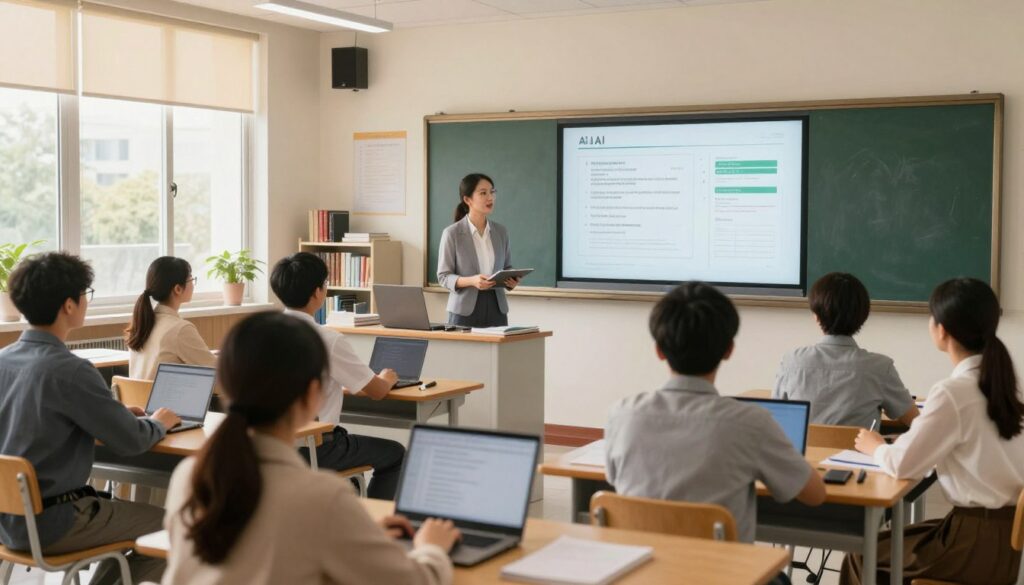
By combining the reliability of traditional teaching with the speed of modern support, you provide a rich and varied learning experience. Your students encounter material in multiple formats, which helps solidify their understanding. This variety keeps your classroom dynamic and engaging for everyone.
Remember, this technology is a tool designed to support your professional judgment, not replace it. Your expertise in guiding students and adapting information remains the most critical element. The tools handle structure so you can focus on connection.
As you grow more comfortable with these tools, you will discover new ways to present information. This keeps your teaching fresh and your students motivated. Your classroom becomes a hub of innovative learning where every method has a place.
Conclusion
Looking ahead, the integration of these tools into your workflow promises sustained benefits for you and your learners. This guide has equipped you with essential strategies to transform your daily classroom practice.
By mastering these approaches, you save valuable time and gain more time for meaningful interactions. You redirect your expertise toward the students who need your support the most.
Remember, the quality of your output hinges on the precision of your input. Always strive to be specific in your requests to digital assistants.
These resources are powerful partners in your journey. They help you create inclusive, personalized, and engaging learning experiences for all your students.
Continue to explore and adapt this guide’s techniques. Ensure your work as a teacher remains effective, innovative, and deeply connected to student learning needs.
FAQ
How can this technology help me plan my class more efficiently?
Can it help me meet the diverse needs of all my students?
Is it useful for creating tests and grading criteria?
Will using these tools make my teaching less personal?
How do I start using a tool like ChatGPT for my curriculum?
Can it assist with tasks beyond direct instruction, like parent communication?
You became a teacher to make a difference — not to spend every Sunday writing lesson plans. The K-12 Teachers AI Toolkit helps you plan faster, differentiate instruction, and create materials your students will actually enjoy. Because great teaching starts with great prep.